What your customers see
Your customers have nothing to install or sign up for: they scan, play and show their code. Here is their journey step by step, so you can guide them.
Step by step
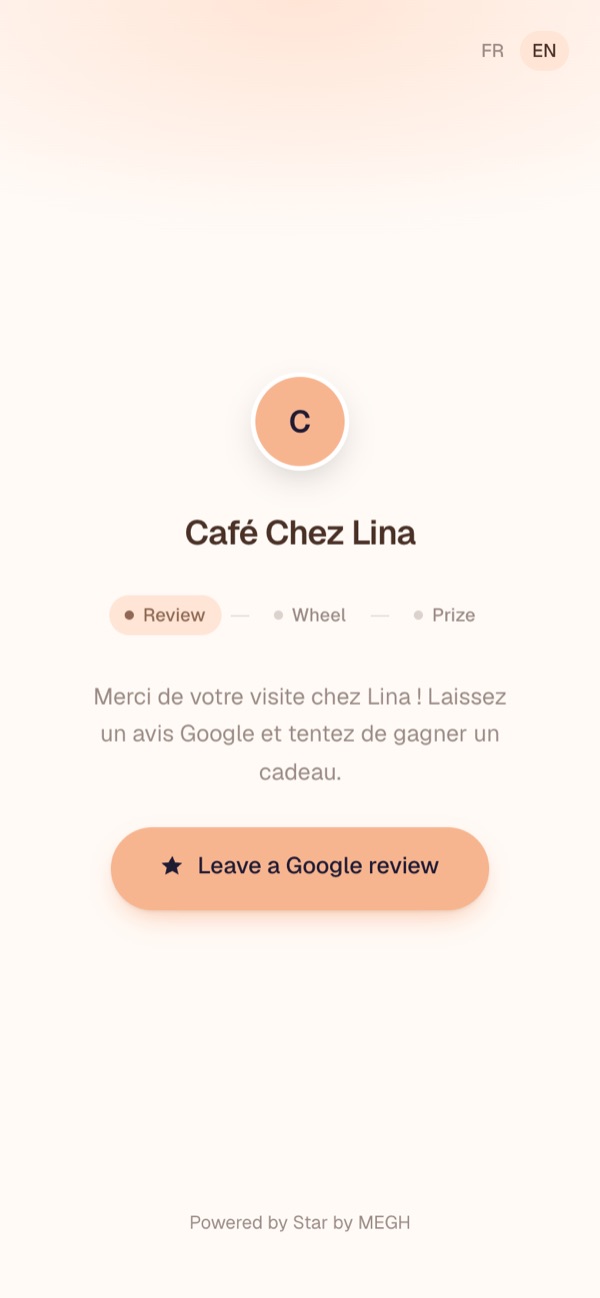
- Welcome: your logo, your name, your welcome message and the Leave a Google review button, which opens your review page in a new tab.
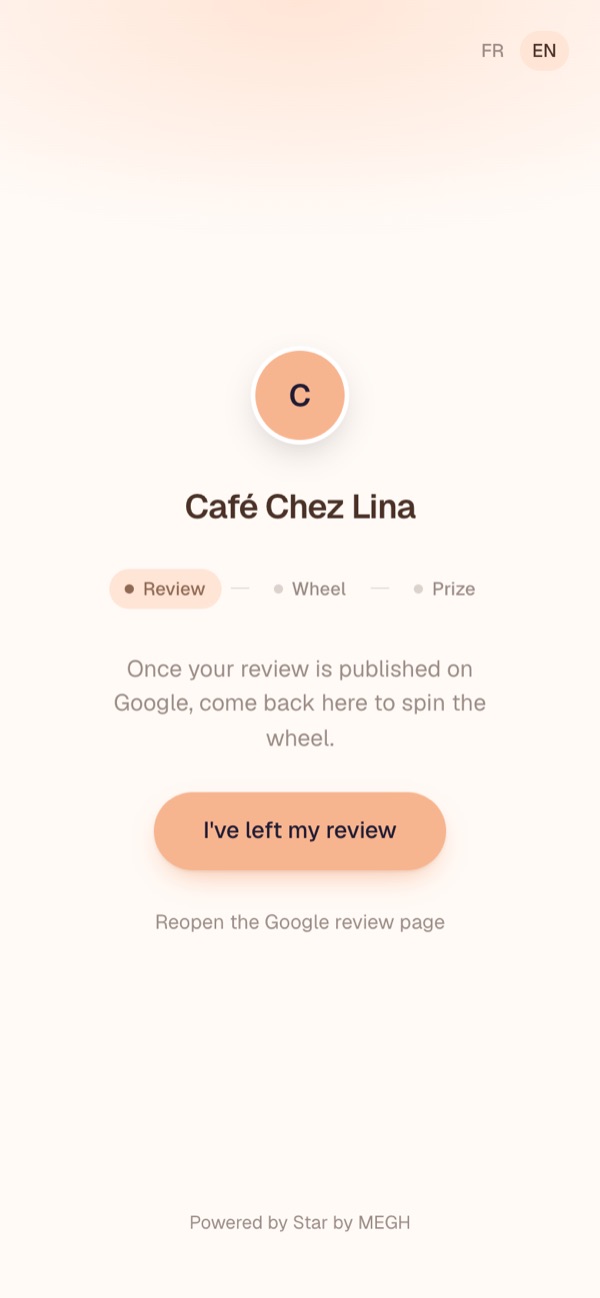
- Confirmation (if enabled): back on the page, the customer taps I've left my review. They can reopen Google if they closed it too quickly.
- Social (if enabled): the customer follows you, then taps I've followed.
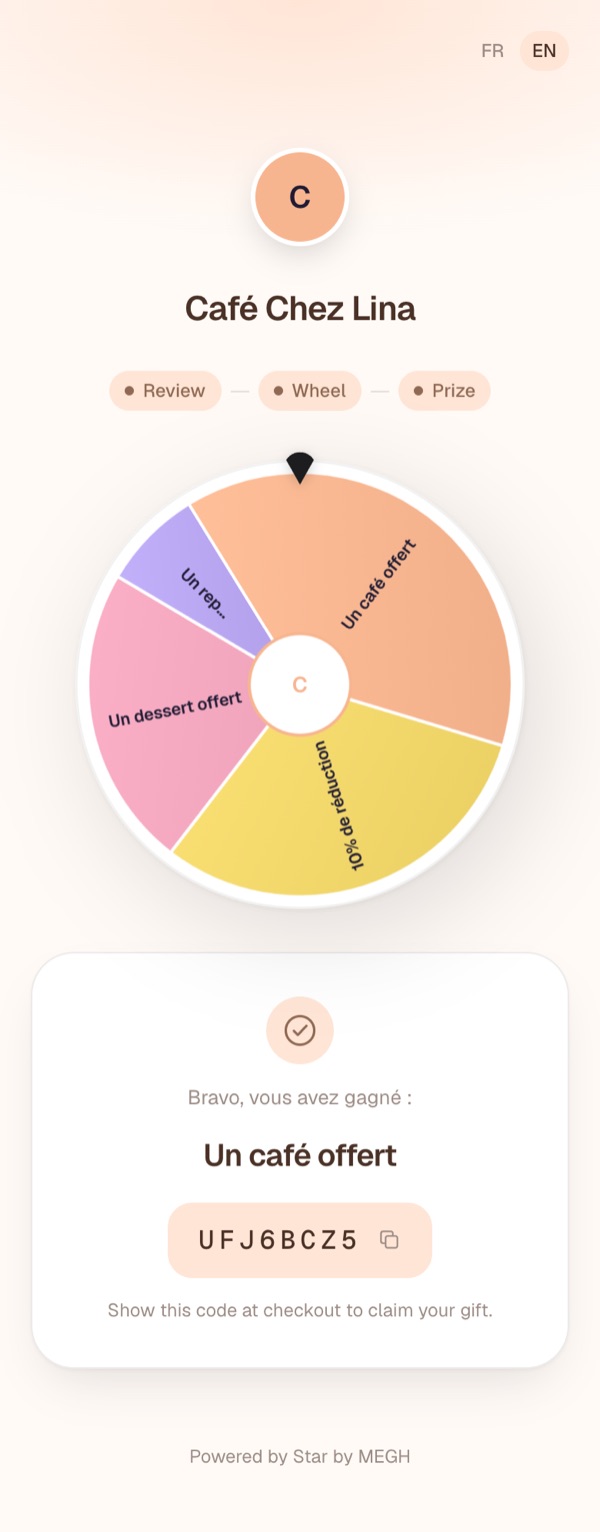
- Wheel: they tap Spin. The result is drawn at random according to your weights and stock.
- Gift: your win message, the prize and a unique code to show at checkout. Tapping the code copies it.
If the customer already played
Depending on the delay between plays you chose, the page shows “You've already played recently. Come back in Xh.”. The delay is counted per phone (and per browser).
Language
The page is in French by default; customers can switch to English with FR / EN at the top right.
Personal data
Your customers are never asked for their name, email or phone number. Only a random identifier (to limit the number of rounds) and the result of each round are recorded.
Customer lost their code?
Find it in the Spins tab using the time they played. Also suggest your customers take a screenshot of their code.