Print your QR code poster
Your poster is ready to print: your logo, your colors, the QR code and a mini wheel in the colors of your prizes. Just download it.
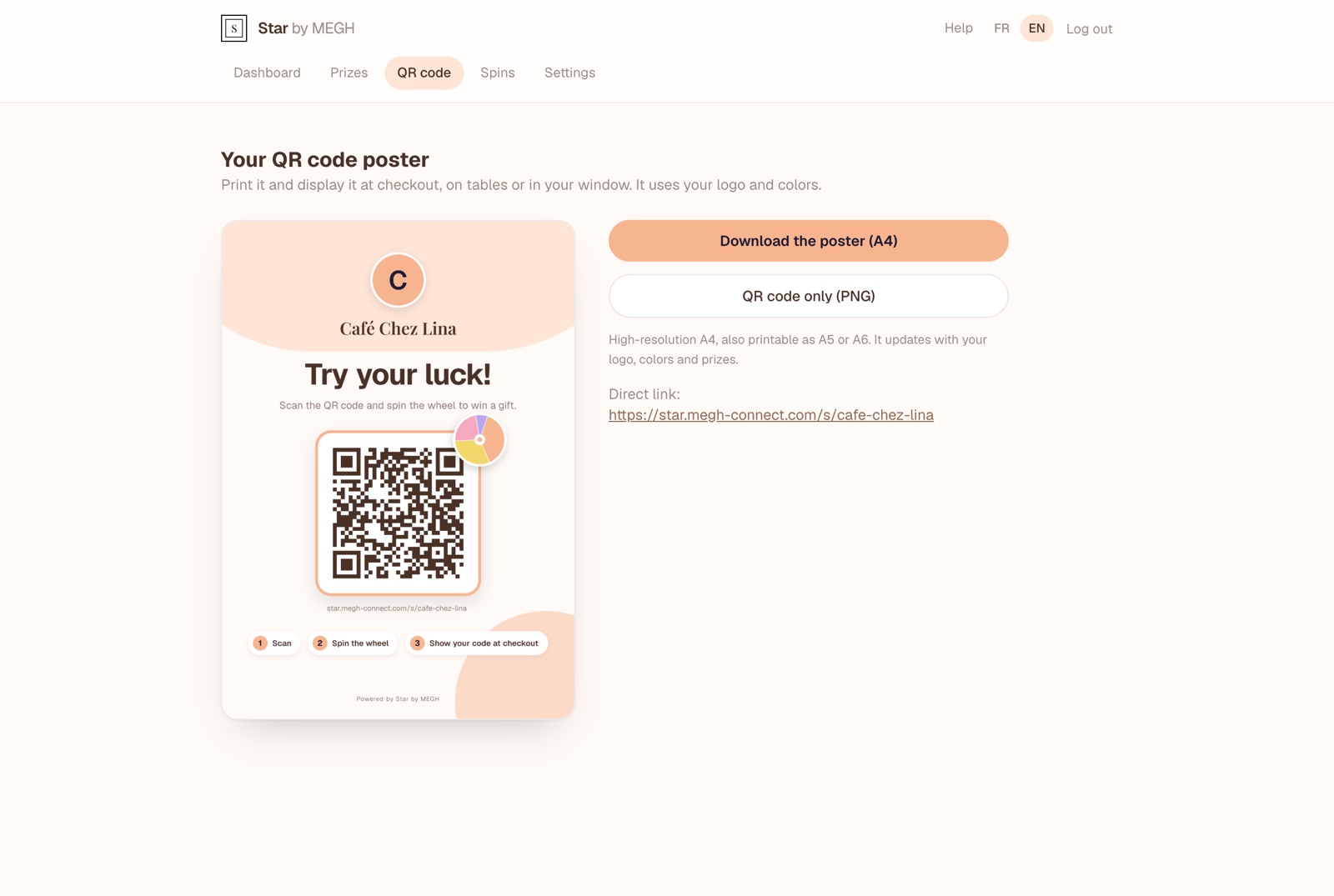
Download the poster
Open the “QR code” tab
The preview shows the poster exactly as it will be printed. Click it to open it full size.
Click “Download the poster (A4)”
You get a high-resolution PNG image (A4, 300 dpi).
Print it
In A4 for your window or counter, in A5 or A6 for a table tent. Choose “Fit to page” in the print dialog.
Always up to date
The poster automatically uses your current logo, colors and prizes. The QR code itself never changes: a poster you already printed stays valid, even if you change your prizes or colors.
The poster text follows the language of your merchant area: switch to EN before downloading to get an English poster (“Try your luck!”).
QR code only
The QR code only (PNG) button downloads just the QR code on a white background. Handy for your own materials: menu, receipt, flyer, loyalty card, website.
The direct link shown under the buttons leads to the same page. You can share it by text message, email or on social media.
Where to put the poster?
- At checkout, at eye level: the perfect moment, the customer is waiting.
- On tables (restaurant, bar) with an A6 table tent.
- In your window, to catch passers-by.
- Avoid reflections (glass, glossy plastic) that make the QR code hard to read.
Test before printing in bulk
Scan the printed poster with two or three different phones and play a full round. Also brief your team: they will validate the codes at checkout.